The best free database software is PostgreSQL or MySQL for a general-purpose SQL database, SQLite for mobile apps, Firebase for real-time apps, and Azure SQL Database for a free cloud-hosted option.
All of these are free to start, and the open-source ones don’t ask for a credit card. Finding free database software for your business is no easy task, especially with so many options available. In 2026 there are more free and open-source choices than ever, and each one is built for a different kind of data.
This guide will help you understand the basics of database software, the types available, and how to choose the right one for your business, plus what’s actually free right now from Microsoft, Google, and the open-source world.
Types of Database Software
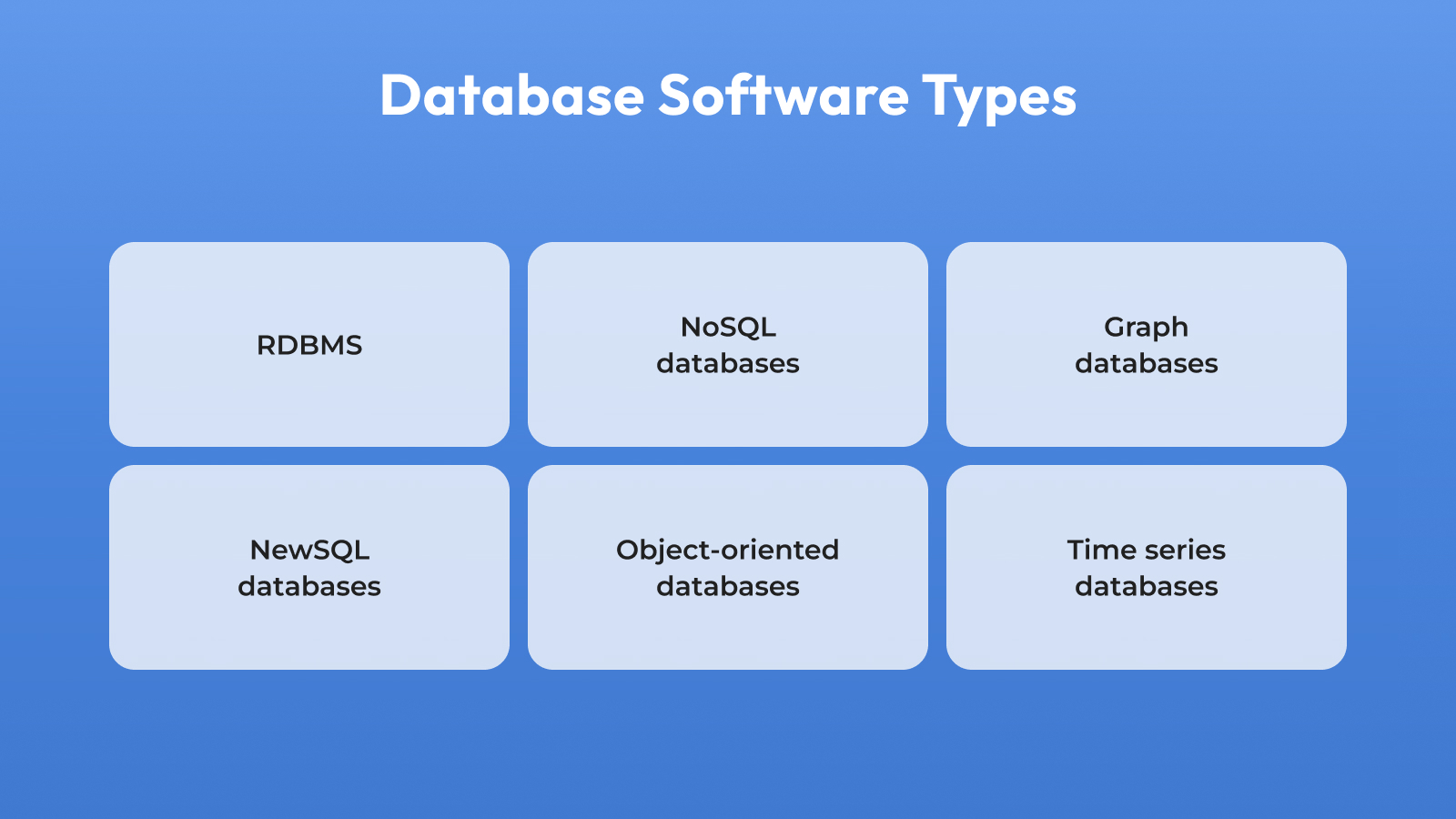
First and foremost, it’s crucial to realize that there are different types of database software, each with its purpose. Let’s primarily specify the main types:
Relational Database Management System (RDBMS)
RDBMS stores data in tables made up of rows and columns, using keys to link related data together. It’s still the most common type of database — PostgreSQL and MySQL both rank in the top 5 of the DB-Engines popularity index as of June 2026, alongside Oracle and Microsoft SQL Server.
Examples: MySQL, PostgreSQL.
NoSQL databases
NoSQL databases are aimed to deal with semi-structured or completely unstructured data. This database type has a schema-less or schema-flexible design, enabling developers to align with required data standards without strict data constraints.
In-memory databases
In-memory databases store data not on the disk but in the system’s main memory. This capability enables you to access data faster, as well as conduct its retrieval much faster. It’s usually used for caching and message brokering, and it can also facilitate the enhancement of web applications’ performance.
Graph databases
Graph databases are quite helpful in case of managing data with complex relationships. Such databases usually utilize a property graph model for data representation and storage. It’s an ideal option when understanding and querying relationships between entities is crucial.
Example: Neo4j.
NewSQL databases
NewSQL databases act as a combination of traditional SQL benefits along with the scalability and flexibility of NoSQL databases. The key advantage of NewSQL databases is its ability to offer a diffused SQL database software that ensures robust data consistency and high availability. It is primarily aimed at handling large-volume applications.
Examples: CockroachDB.
Object-oriented databases
The distinctive feature of an object-oriented database lies in its capability to store data in the form of objects, which usually include attributes (e.g., name, age, address) and methods (e.g., Change address(), Calculate age(), etc.).
Example: db4o
Time series databases
Time series databases are optimized tools that are used to handle data associated with timestamps (e.g., stock prices, website traffic, GPS coordinates, health rate measurements, etc.). Such databases usually support real-time monitoring and analytics. It may help you efficiently manage data streams, making it valuable for temporal data analysis applications.
Example: InfluxDB.
Does Microsoft Have a Free Database?
Yes, Microsoft has a free database: Azure SQL Database, which gives every subscription up to 10 free serverless databases with no expiration date.
Microsoft also offers SQL Server Express, a free locally installed edition, as a second free option. Here’s how the two compare:
- Azure SQL Database free offer — now generally available, giving every Azure subscription up to 10 free serverless databases, each with 100,000 vCore-seconds and 32 GB of storage per month, with no expiration date. Microsoft confirms the offer renews monthly and never expires.
- SQL Server Express — a free, locally installed edition of SQL Server capped at 10 GB per database. Good for small apps and learning.
- Microsoft Access — not free, but bundled with some Microsoft 365 plans. LibreOffice Base and Apache OpenOffice Base are the closest free, open-source alternatives.
For most small projects, the Azure SQL free tier is the better pick since it doesn’t need any local install or upkeep.
Does Google Have Free Database Software?
Yes, Google has free database software: Firebase’s Spark Plan, which includes Firestore and Realtime Database at no cost, with no time limit.
Google’s other database products — Cloud Spanner, Cloud SQL, and AlloyDB — are free only as time-limited trials, not ongoing free tiers. Here’s the full breakdown:
- Firebase (Spark Plan) — Google’s no-cost tier includes Firestore and Realtime Database with daily limits (around 1 GB storage and 50K reads/day on Firestore), unlimited authentication for standard sign-in, and free hosting. Firestore allows exactly one free database per project.
- Cloud Spanner — a 90-day free trial with 10 GB of storage, meant for testing rather than ongoing use.
- Cloud SQL and AlloyDB — both give you 30-day free trials, not a permanent free tier.
- $300 in free credits for new Google Cloud customers, usable on any database product.
Firebase’s Spark Plan is the only database from Google that stays free forever — everything else is a trial.
What Database is a Match for Your Business?
There are several things you’ll have to consider before choosing database software. Assessment of the following factors may help you avoid possible drawbacks and conduct a successful integration.
Factors to consider while choosing a database
- Support of various data types. Focus on choosing databases that support diverse data types, including structured (tables columns) and unstructured (JSON, document)
- Robust security functionality. To make the software act as a secure data storage, consider including or enhancing security measures like encryption, access controls, auditing capabilities, etc.
- Integration capabilities. Ensure the chosen database can seamlessly integrate with other software to ensure boundless data flow and interoperability within your tech stack
- Scalability. Precisely evaluate scalability options presented by the database software to ensure it’s capable of accommodating growing data volumes and user loads as your business expands and evolves
- User-friendly interface. Try focusing on database options that offer intuitive and easy-to-use interfaces and general functionality, This may significantly speed up the solution adoption and simplify the whole process of data administration, monitoring, and configuration
- Multiple OS integration. Seek for database software that supports multiple operating systems and frameworks. This will help you ensure high compatibility among development environments, allowing for deployment on needed platforms.
Business types and database software compatibility
Finally, it’s time to determine what type of database software will match your business needs and objectives. Let’s define 5 main categories:
- Small-size businesses. Typically, small businesses have quite narrow data selection and, consequently, straightforward operational requirements. So, a lightweight, serverless, and zero-configuration Relational database management system like SQLite, Realm (a lightweight mobile and schema-less solution) will be an optimal option
- Medium-size businesses. Due to moderately complex operational needs, RDBMS like MySQL or PostgreSQL may be considered a golden mean. Alternatively, you can select NoSQL software like Cassandra for special uses (need for extended scalability, high write throughput, etc.) All of these options have a great scalability potential that may become an advantage in case of business expansion
- Large businesses. As large-scale businesses handle massive data volumes and high transaction loads, solutions like NoSQL Cassandra, as well as NewSQL CockroachDB, will become primary software for dealing with such a scale of complexity.
- Global businesses. Global scale requires operation with a worldwide scale, engaging complex systems and datasets. Distributed database types like NoSQL and NewSQL are essential, and Amazon DynamoDB and Google Cloud Spanner will become the superior choice
- E-commerce businesses. Besides product data, E-commerce businesses handle massive volumes of transactions and user interactions. That’s why it’s recommended to select a mixed approach, engaging relational and NoSQL solutions. By this, MySQL or PostgreSQL is great for structured data, while Elasticsearch can assist you in efficient search functionalities
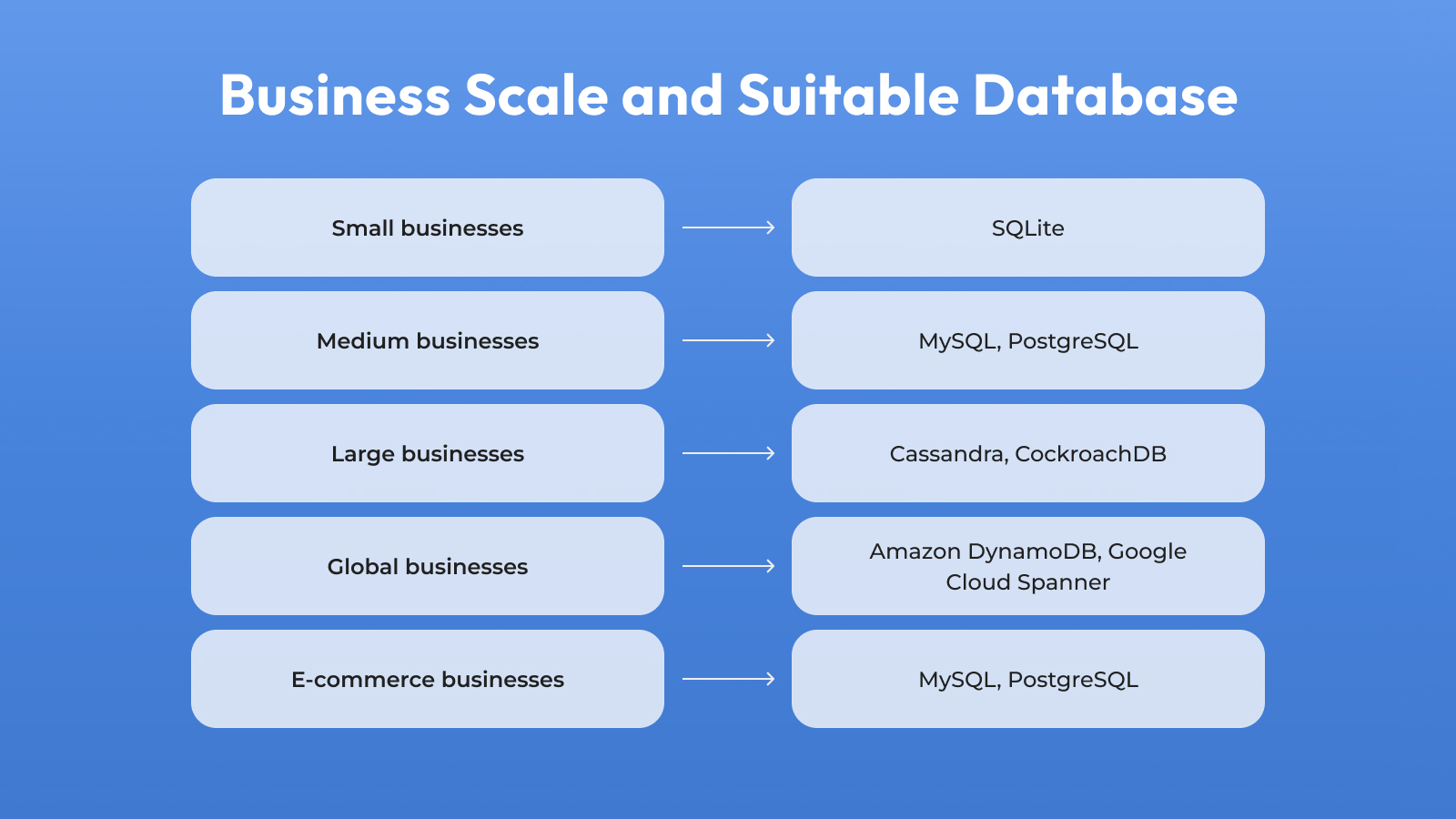
However, keep in mind that this is an approximate selection of databases that is aimed to orient you in available options that may help you handle the required data scale. The final decision will heavily depend on your unique requirements and the tasks the database software has to able to complete. This includes basic capabilities like data storage, modification, and retrieval and more advanced tasks like multi-model database support, advanced analytics, machine learning integration, data replication and synchronization, etc.
Best Free Database Software Compared
| Database | Best for | Free tier | Open source |
|---|---|---|---|
| PostgreSQL | Structured + JSON data | Fully free | Yes |
| MySQL | Web apps, e-commerce | Fully free | Yes |
| SQLite | Mobile, embedded, prototyping | Fully free | Yes (public domain) |
| MariaDB | MySQL migrations | Fully free | Yes |
| MongoDB | Flexible-schema apps | Free tier (Atlas) | Yes |
| Firebase | Real-time mobile/web apps | Free (Spark Plan) | No |
| Azure SQL Database | Cloud-hosted SQL workloads | 10 free DBs/month | No |
| Neo4j | Connected/graph data | Free (Community + AuraDB Free) | Yes (GPLv3) |
| Airtable | No-code project tracking | Free (limited records) | No |
DB-Engines’ June 2026 ranking puts MySQL, PostgreSQL, MongoDB, and MariaDB all in the top 13 most popular databases worldwide — a good sign of community size, documentation, and how easy it’ll be to hire for, if you’re picking something for the long run.
Summing up
Finding scalable, reliable, free database software is a real chance to cut costs while still building on solid infrastructure. Choosing well means matching the software to your data — structured, unstructured, or semi-structured — and to how technical your team is, not just picking whatever ranks first in a list.
Think about scalability honestly: will this database still work when your data is 10x bigger? Check that it integrates with the tools you actually use, not a hypothetical stack. And don’t skip backup and recovery — that’s the difference between a minor outage and losing your data for good.
If you’re also weighing the broader cost of building something new, see our breakdown of app development costs. And if you’re comparing cloud providers, our guide to GCP vs AWS covers similar tradeoffs for compute and storage.
Frequently Asked Questions
PostgreSQL and MySQL are the best open-source database software, ranking highest for popularity and documentation.
MongoDB is the top choice if you need document-style NoSQL instead of a relational structure. For a full breakdown of licensing, features, and use cases across ten major systems, see our guide to open source database software.
MySQL and PostgreSQL are the best free database software for small business if your team knows SQL; Airtable and Baserow are better for non-technical teams.
Both MySQL and PostgreSQL skip the record limits that no-code tools impose, so they hold up better as your data grows. With 61% of small businesses still using Google Sheets as their primary data tool, even a basic database is often a real upgrade in reliability.
LibreOffice Base is the best free database software for Windows 10, with a full set of open-source tools for tables, queries, forms, and reports.
SQL Server Express is a better fit if you’re already in the Microsoft ecosystem and need something built for production use.